 Scrine
Doomscroll books with AI.
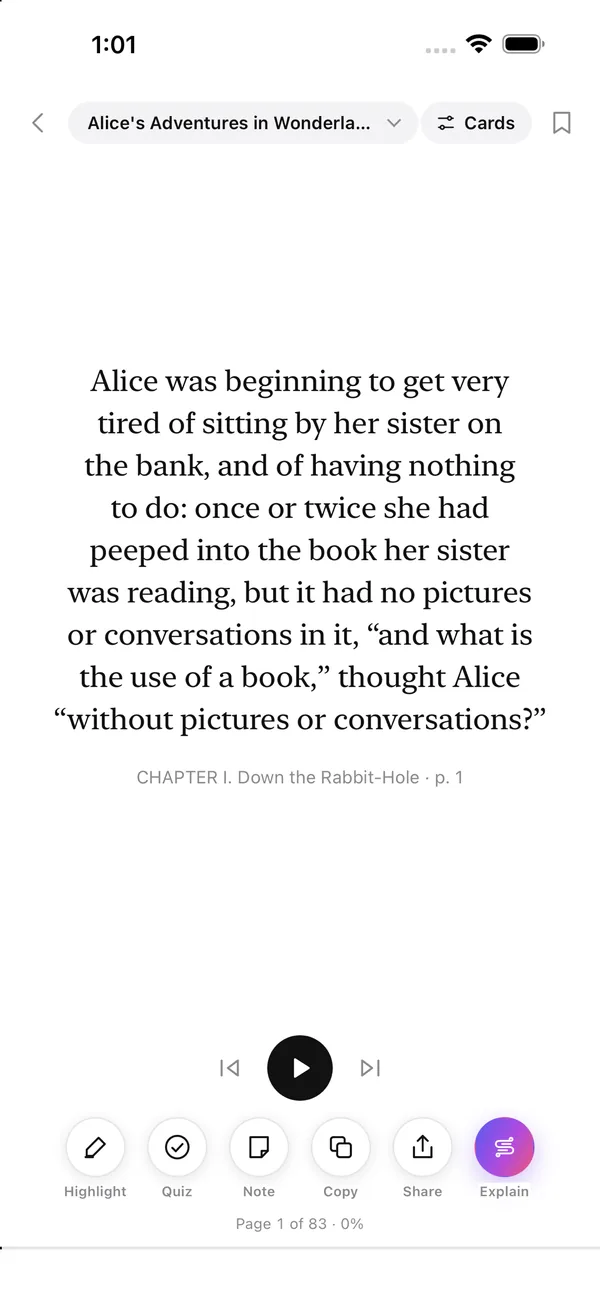
Scrine turns any book, PDF or article into a feed of one-sentence cards. Swipe to read. Tap to have the hard parts explained. Finish the books you keep meaning to read.
Free to start. iPhone, iOS 17 or later.
How it works
Reading that feels like scrolling.
Walls of text are why books pile up unread. Scrine breaks a book into the next thought, and the next, so the hardest part is putting it down.
Add anything
Drop in an EPUB, PDF, Word file or text, paste a link to an article, or pick from thousands of free classics in Explore. Share straight from Files, Mail or Safari.
Swipe to read
Every card holds a sentence or two. Swipe up for the next one, down to go back. Press play and Scrine paces the reading for you.
Ask when you're stuck
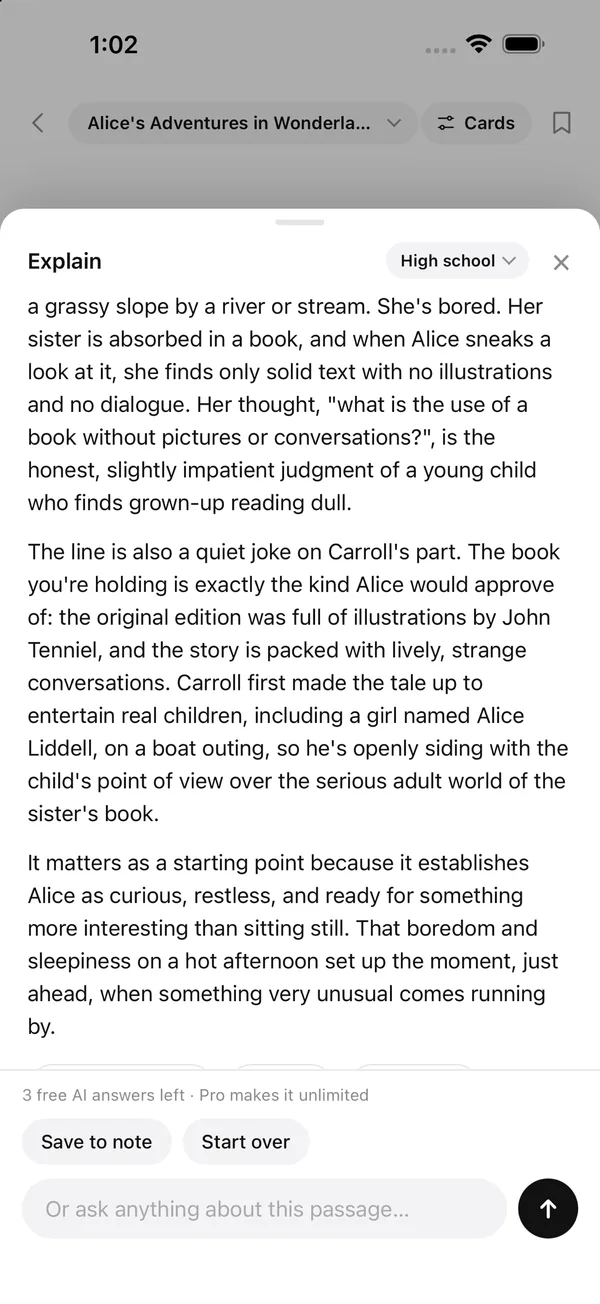
Tap Explain and the AI tutor unpacks the passage at the level you choose, with the surrounding text as context. Follow up with any question.
Features
Four ways to read. One place for everything you keep.
Cards
One or two sentences per screen. The default, and the reason it feels like a feed.
Page
The whole book as one scrolling page, with a highlight that reads along as you go.
Stream
Text runs across the screen in one continuous line at the speed you set.
Flash
One word at a time in the same spot, so your eyes never move. Set your words per minute.
Bionic text
The start of every word in bold, to pull your eye along the line. Switch it on or off in a tap.
Highlights, notes, bookmarks
Mark a passage, write on it, save your place. Everything collects in Notes, organised by book.
Chapter quizzes
At the end of a chapter, test yourself. Pick the difficulty from plain recall to connecting ideas.
Free library
Thousands of public-domain books in Explore, with suggestions based on what you already have.
Streaks and stats
See how much you read, keep a streak going, and watch the unread pile shrink.
AI tutor
A tutor who has read the book.
Dense chapters, old prose, a textbook that assumes you already know. Scrine's AI explains the passage you're on, in context, at the level you choose.
- Explain any passage, from middle school to graduate level
- Ask follow-up questions and keep the thread with that passage
- Rewrite hard text in plainer language
- Quiz yourself on each chapter
- Save answers straight to your notes
Powered by Claude. Three answers free to try, unlimited on Pro.
Pricing
Start free. Upgrade when you want more.
Subscriptions are weekly, monthly or yearly through the App Store. Change or cancel any time in your iPhone settings.
- Cards reader
- Your own books and articles
- Highlights, notes, bookmarks
- Explore library of free books
- 3 AI answers to try
- Everything in Free
- Page, Stream and Flash modes
- Auto-play at your pace
- Bionic text
- Everything in Plus
- Unlimited AI explanations
- Follow-up questions and threads
- Chapter quizzes at any level
- Plain-language rewrites
Prices in US dollars. Local prices are shown in the App Store.
FAQ
Questions, answered.
Is Scrine free?
Yes. The free plan includes the swipe reader, highlights, notes, bookmarks, the Explore library of free books and three AI answers to try. Plus and Pro are optional subscriptions that add more reading modes and the AI tutor.
What files can I read in Scrine?
EPUB, PDF, Word (.docx), Markdown, HTML and plain text, plus any web article by pasting its link. You can also send a file to Scrine from Files, Mail or Safari with the share sheet.
Can I read my Kindle books in Scrine?
Scrine opens DRM-free files only, so Kindle purchases with copy protection won't import. Books you own as EPUB or PDF without DRM work, and Explore has thousands of free classics.
Is Scrine a speed reading app?
It can be. Stream and Flash modes pace the text for you at a words-per-minute you choose, and bionic text bolds the start of each word. But the main idea is making reading feel as easy as scrolling a feed, at whatever pace you like.
Which AI does Scrine use?
Explanations, quizzes and rewrites are generated by Claude, Anthropic's AI model. Only the passage you ask about and a little surrounding text are sent, and nothing is used to train models.
Is Scrine on Android?
Scrine is on iPhone today. A web version runs in any browser at scrine.io/app.
Do I need an account?
You can read the free library without one. Adding your own books takes a free account, so your library and subscription follow you to a new phone. Sign in with Apple, Google or an email code.
Read the books you keep meaning to.
Scrine is free on iPhone. Add a book tonight and see how far one swipe at a time takes you.